Two ways to digitize, and which one you want
USB out to a computer
The common approach. The turntable contains an analog-to-digital converter, presents itself to your Mac or PC as a class-compliant audio input, and you record with free software such as Audacity. The advantage is control: you choose the sample rate, you can see the levels, and you can split tracks and remove clicks afterwards. The disadvantage is that you need a computer within cable reach of your turntable and an evening of patience.
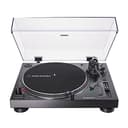
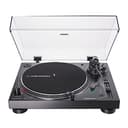
The Audio-Technica AT-LP120XUSB is the default here, and the AT-LP120XBT-USB is the same idea with Bluetooth added. Both are direct drive, which suits capture work — the platter is at correct speed instantly and holds it without drift, so a 20-minute side does not slowly change pitch.
Recording to a USB drive on the deck
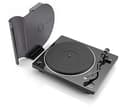
The Denon DP-450USB writes the file itself. Plug a USB-A drive into the turntable, press record, play the side, and the deck produces an audio file with no computer in the room. For anyone working through a large inherited collection, that difference is the whole product — it turns archiving from a computer task into a background one.
What actually determines capture quality
In descending order of impact, and none of these is the USB port:
- The cartridge and stylus.A worn or cheap stylus records its own distortion permanently into the file. If you are about to archive anything you care about, replace the stylus first — see how to replace a turntable stylus.
- Tracking force and anti-skate. Mistracking sounds like distortion on loud passages, particularly sibilance on vocals, and it is the most common flaw in home transfers. The setup guide covers getting both right.
- Record cleanliness.Every click and pop is captured forever. A wet clean before archiving removes a large share of them at no cost — see cleaning kits.
- The right stylus for the format. If any of what you are archiving is a shellac 78, a microgroove tip is the wrong tool: Audio-Technica publishes 3.0 mil conical for its 78 cartridge against 0.3 x 0.7 mil elliptical for the one these decks ship with. Which decks can take that part, and what else the job needs, is on our 78 RPM turntable page.
- Speed stability. Direct drive has an edge here, which is why three of these five picks are direct-drive or servo-controlled decks.
- The converter itself. Real, but last. A modest built-in converter fed a clean, well-tracked signal beats an excellent one fed a mistracking stylus.
Do you need a USB turntable at all?
Not necessarily. Any turntable with a line-level output can be digitized through a separate USB audio interface, and above about $200 those interfaces usually convert better than the circuit inside a turntable does. That route also lets you keep a deck you already like.
Buy a USB turntable when you want one box and one cable, when you are starting from scratch anyway, or — in the Denon’s case — when you specifically want to avoid involving a computer. Don’t buy one because it has USB if the deck underneath is worse than what you would otherwise pick. A better deck plus a $60 interface beats a worse deck with a port.
A note on the 78 RPM question
Three of these decks play 78 RPM: the AT-LP120XUSB, the AT-LP120XBT-USB and the Denon DP-450USB. If you are archiving shellac, that matters — but so does the stylus. A 78 groove is much wider than a microgroove LP’s, and playing it with a standard elliptical stylus both sounds poor and risks damage. Audio-Technica sells a 78-specific stylus for the VM95 family, which is one more reason the VM95 body on the LP120X series is a practical choice for archive work.
The portable exception
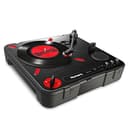
The Numark PT01 Scratch is here for one reason: it runs on batteries and has a class-compliant USB interface, so it can capture a record anywhere — at a record fair, in a shop, in a relative’s attic. It is not a hi-fi deck and we would not use it on a treasured pressing. As a portable field-recording tool for vinyl, nothing else at the price does the job — and as the only deck we rank that publishes battery operation, it leads our portable record player picks as well.
One pattern worth noticing in the table above: the decks with the most outputs are the direct drives, because electronic speed selection and the extra connectivity tend to travel together. Our direct-drive picks rank that class on the figures the drive itself changes — starting torque, the electronic brake and the third speed.